Beyond Reality. Beyond BIM. Welcome to AR360+ Smart Life with Your Digital Twin.

Hear and see your language changes instantly. Never type in the wrong language again!

AR360+ KeySound

Why Choose Us

AR360+ KeySound is a lightweight productivity tool designed for multilingual users who frequently switch keyboard layouts. Have you ever typed a whole paragraph only to realize you were in the wrong language? With AR360+ KeySound, that frustration is a thing of the past.

Key Features:
• Instant Audio Feedback: Play high-quality sounds every time you switch languages.
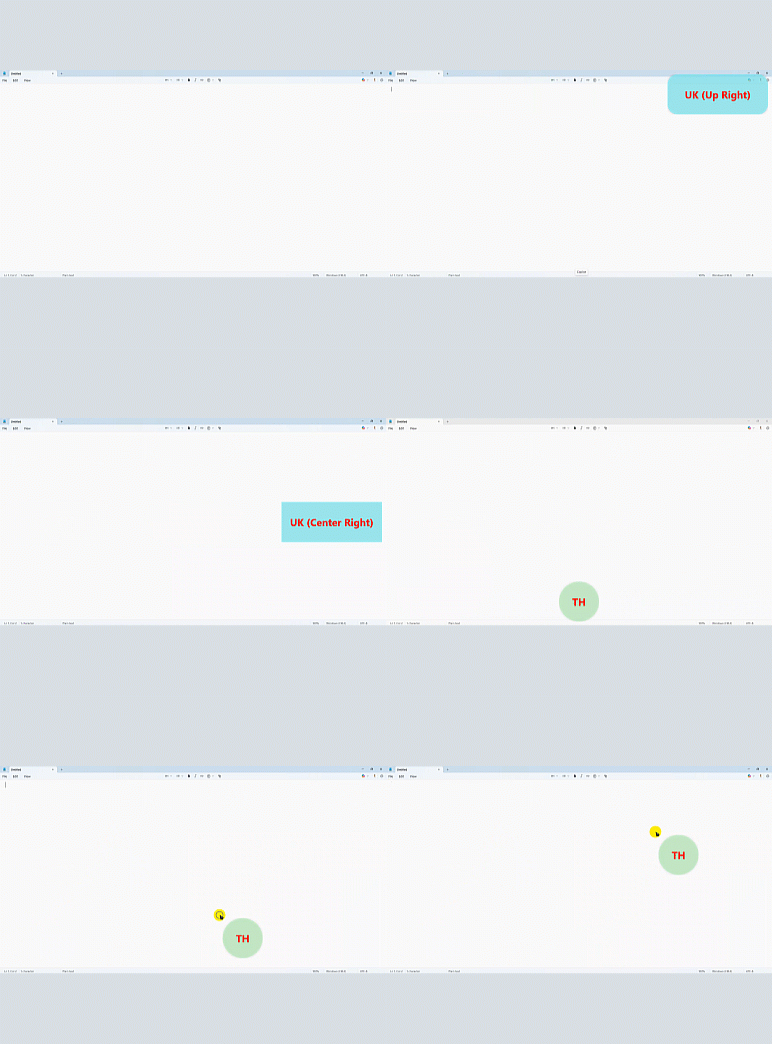
• On-Screen Notifications: A sleek, customizable overlay shows your current language (e.g., “US”, “TH”) exactly where you need it.
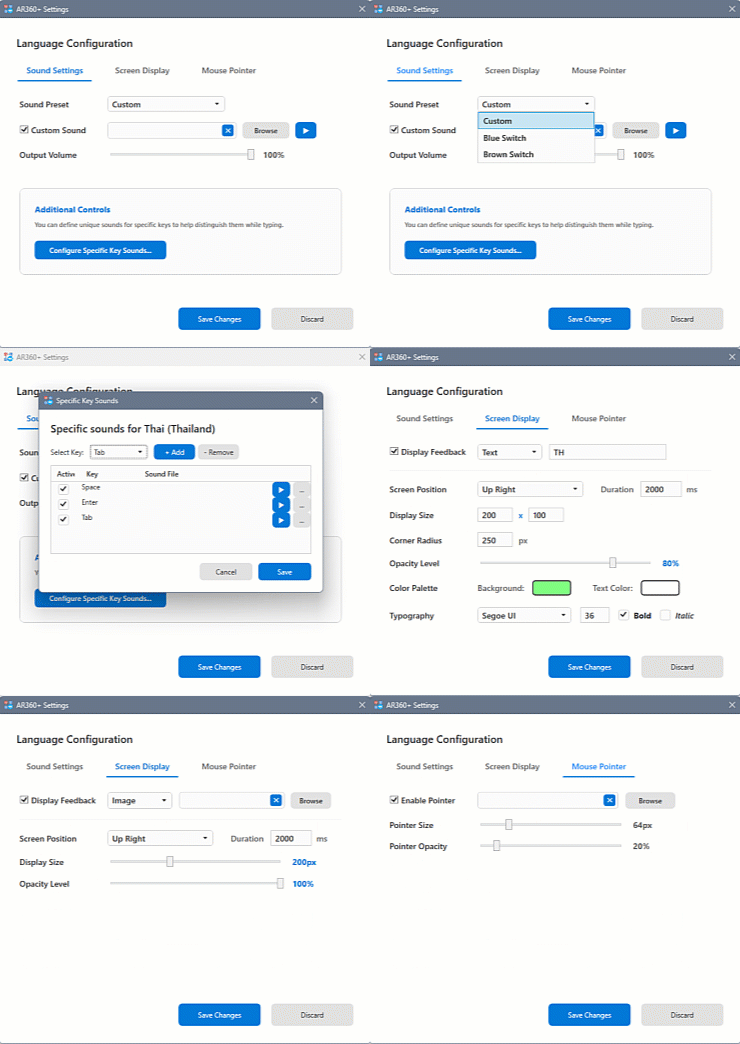
• Fully Customizable: Adjust fonts, colors, window size, and sound volumes to match your workflow.
• Premium Design: Modern, rounded UI that fits perfectly with Windows 11 aesthetics.
• Privacy First: We don’t record your keystrokes. Everything stays on your local machine. Read our full [Privacy Policy] for more details.

Stop second-guessing your keyboard. Let AR360+ KeySound keep you in the flow.

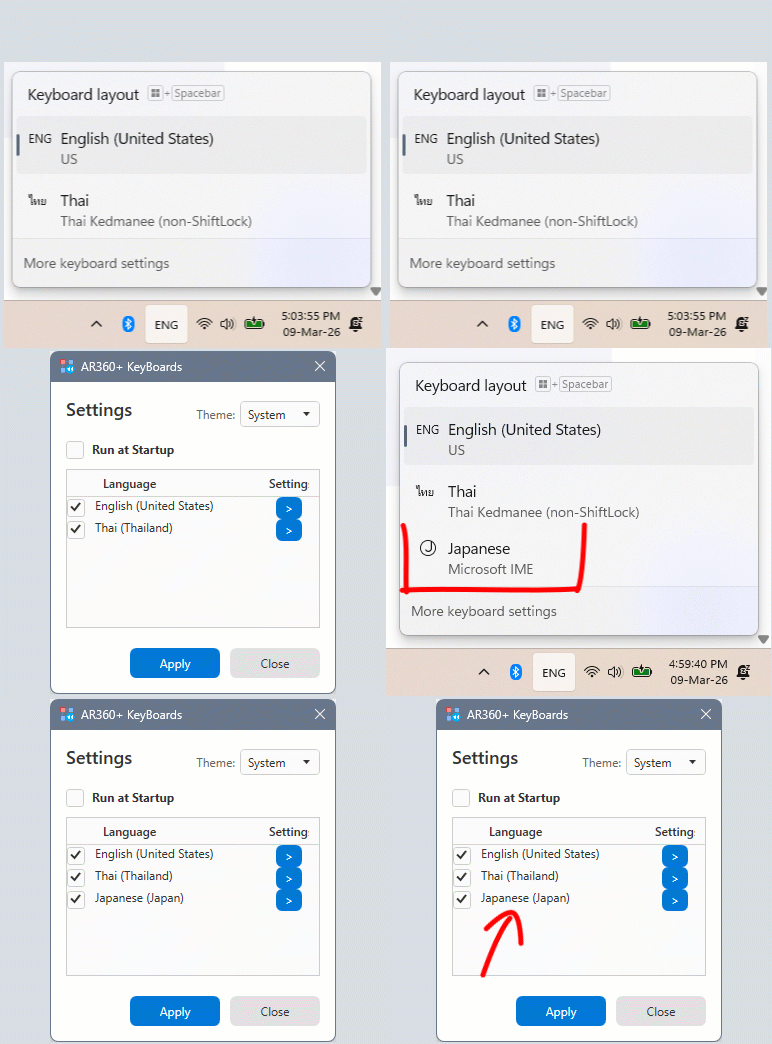
Language detection system

AR360+ KeySound has a system that detects the language installed under your Windows system, both before and after installation, without any additional configuration. Therefore, you don’t have to worry about any inconvenience during use.

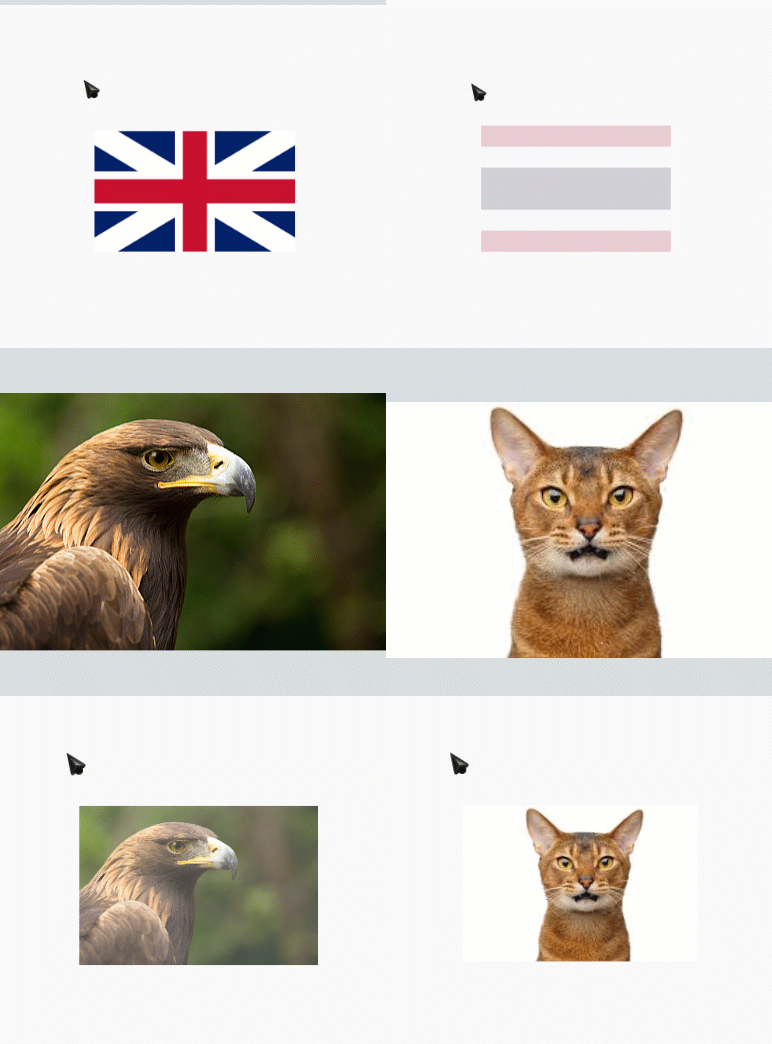
Pointer displays image.

The AR360+ KeySound features a system that displays an image at the mouse cursor to remind the user which language is selected for typing. You can add your own image, perhaps a picture of your cute pet, for each language, adding fun to your workspace.

Note: If you do not select an image, the program will display text as set on the screen.

Displaying notification screen.

The AR360+ KeySound features a screen display system with customizable messages that you can write as reminders. You can define the size and position of the display in up to 7 locations. Choose your preferred background and font colors.

Flexible working.

The AR360+ KeySound offers flexible functionality to meet your needs. You can customize the notification method for each language, offering options such as audio, screen, and visual pointer alerts, and even set the display time. For each language, you can also right-click the Systembar to enable or disable the notification feature.

Customize the sound.

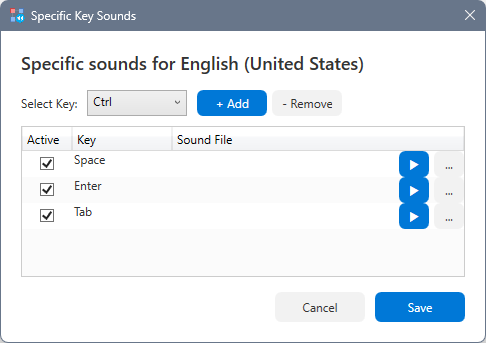
The AR360+ KeySound allows you to add your favorite sound to each key, making typing more enjoyable with your preferred key sounds.

Note: Our program does not provide pre-loaded sounds. You can use your own *.wav sounds or search for and download free sounds from various websites.

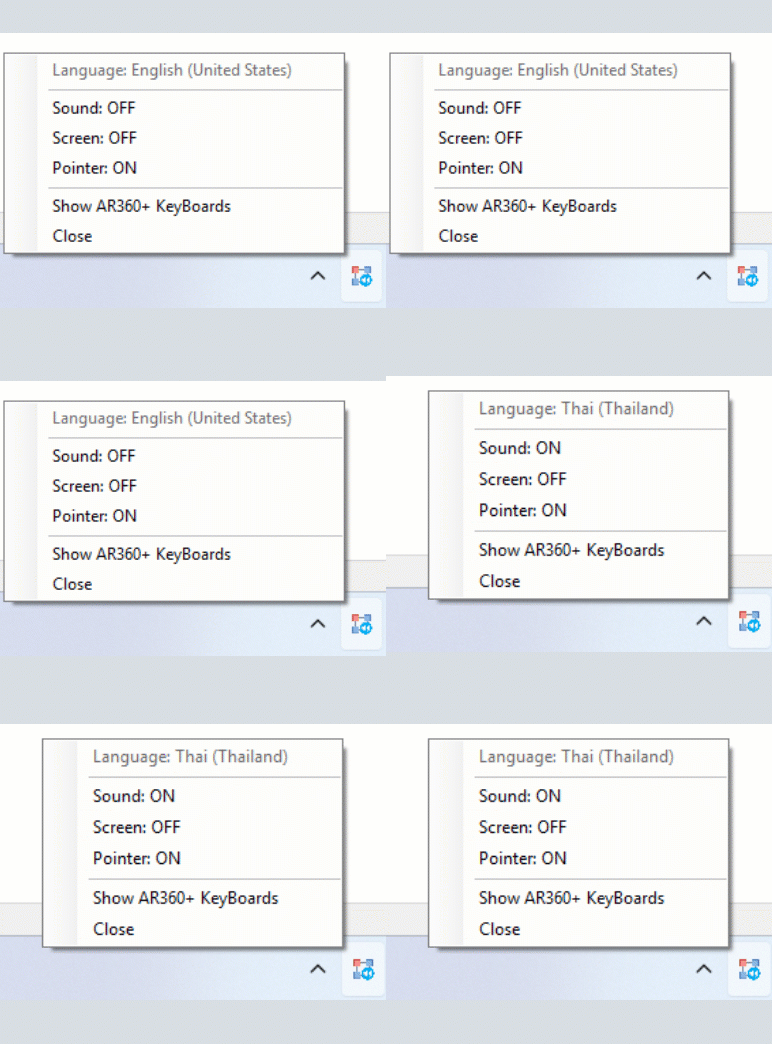
System Tray Icon

The AR360+ KeySound has shortcuts in the System Tray for selecting whether to turn individual notifications on or off.

—❌ Registration failed—

UI/UX Fundamentals
25% OFF

— ✅ Registration Successful! —

UI/UX Fundamentals
25% OFF